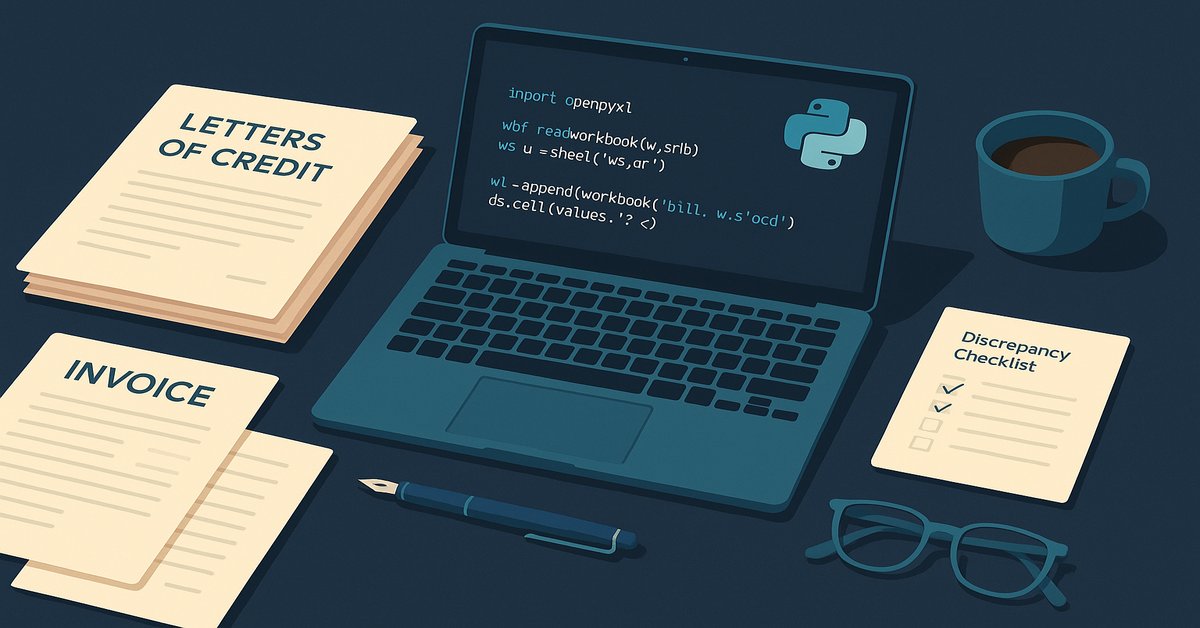
Python for banking professionals: I spent 13 years in trade finance before code. Here’s what made me start, and what I’d tell other banking pros.
I was standing at my desk in trade operations, halfway through my fourth LC discrepancy report of the week, when it finally clicked. The same copy-paste ritual I had done hundreds of times: extract the discrepancies from the documents, format them into a Word file, build the email, attach the evidence, send it to the client. A colleague pulled up a Python script and did the same task in about twenty seconds. The Excel file appeared. The Outlook draft opened. I sat there for a moment, not sure if I was impressed or annoyed. I think it was both.
This post is for python for banking professionals — the senior operators, the trade-finance specialists, the credit analysts, the relationship managers, the UAT testers, and the rest of us who have spent a decade or more doing the work and are only now asking whether the language is worth learning. The short answer is yes, and the rest of this post is the longer answer.
That was the moment Python stopped being “developer territory” for me. I had been in banking for thirteen years at that point, working across letters of credit, collections, guarantees, supply chain finance, and payments, and I had quietly accepted that code belonged to a different group of people. People who went to college for it. People who started in their twenties. People whose careers had not already been shaped by UCP 600 and document-checking standards.
If you are a banking professional in your thirties, forties, or beyond, and you have been wondering whether it is too late to learn to code, I want to offer a different frame.
“Too old” is the wrong question
The question most experienced professionals ask is some version of: “Am I too old to learn coding?” Honestly, I think that is the wrong question. The better one is: “What problem do I want coding to solve?”
If your goal is to become a competitive programmer, build production software, or pivot into a software engineering role, the learning path is genuinely demanding. You will need algorithms, data structures, system design, and probably a year or more of focused study.
But if your goal is to automate the Excel work that eats your Tuesday afternoon, generate the report that you rebuild manually every Friday, parse the PDFs that someone always sends you in the wrong format, or prepare the evidence pack for an audit that no one enjoys, the starting point is much closer than you think. You do not need a CS degree. You need variables, loops, dictionaries, a few file-handling libraries, and one real workflow that bothers you enough to automate.
For me, Python was not a career escape hatch. It was a productivity layer on top of an existing banking career. That distinction matters, because it changes what you are learning and why.
What thirteen years in trade finance gave me that a bootcamp graduate does not have
This is the part of the python for banking professionals conversation that almost nobody online writes about. The bootcamp graduates have the syntax. We have the domain.
What they do not have is the domain layer. Trade finance is built from rules, documents, discrepancies, exceptions, client communication, operational controls, and regulatory discipline. It is shaped by the way a real LC process actually behaves when the shipping documents arrive late, the description on the invoice does not match the LC, and a relationship manager is on the phone asking what the discrepancy even means.
I have spent years working through UCP 600, ISBP, document flow, and the exceptions that no training manual covers. I have moved from operations into user acceptance testing for trade finance applications, where my job is to validate whether a system change actually supports the business process, whether the output is correct, and whether the evidence is sufficient for production release.
That domain knowledge turned out to be the part of the picture a pure technologist does not have. When I look at a workflow, I do not just see a sequence of steps that could be coded. I see the steps that genuinely matter, the ones that are repeated, the ones that introduce risk, and the ones that are worth automating first. I also see the steps that look automatable but should not be, because human judgement and client relationship are part of the work, not a friction point to optimize away.
This is what makes the python for banking professionals case different from a bootcamp-to-engineer pipeline. The skills that already exist on the desk — UCP 600, document flow, exception handling, the credit-committee politics, the relationship-management history — are exactly what a junior developer would spend two years learning if they started today. We get to skip that part.
This is the part of the moat that does not show up in a CV. It is the part that made Python easier to learn, not harder.
Python for trade finance is not the same as Python for finance
When most people hear “Python for finance,” they picture stock-market analysis, trading strategies, quant models, NumPy, pandas, dashboards, and financial data visualization. Those are useful, but they are not the first priority for someone working in trade finance operations or trade finance UAT.
The practical reality of trade finance is more document-heavy. We deal with PDFs, Word files, Excel sheets, scanned images, application screenshots, JIRA items, Octane evidence, emails, test cases, and production-certification support. So the libraries that actually move the needle for us are not the glamorous ones. They are the ones that quietly remove a thirty-minute task from your Tuesday. For python for banking professionals, that is the entire point.
For a trade finance professional, the most useful libraries in the first three months are openpyxl for reading, writing, and formatting Excel files; python-docx for building Word documents including the discrepancy reports; pdfplumber for extracting fields from invoices, bills of lading, and packing lists; pathlib and os for file handling and folder operations; pyautogui for screen automation during repetitive UAT evidence capture; and win32com.client (or the O365 library) for Outlook draft automation. The goal is not to learn every library. The goal is to learn the three or four that solve the work sitting in front of you this week.
If you are exploring python for trade finance specifically, that secondary angle is worth its own post. I have a follow-up coming on the five Excel tasks I automated first, and the trade-finance-specific scripts that came out of them.
What python for banking professionals should learn first (and what to skip)
If you are a banking professional starting from zero, my honest advice is to skip the generic CS curriculum. You do not need algorithms, data structures, Big-O notation, or competitive programming to automate the work that bothers you most. Not yet, anyway.
Learn these three things, in this order. First, Python basics that solve office work: variables, lists, dictionaries, loops, functions, file paths, and folder operations. That is enough to start. Second, one library that solves your worst Excel pain, which for most people in banking is openpyxl. Build one small script that takes a list of inputs and produces a formatted Excel file. This is your first proof that the language is useful. Third, one library that solves a document pain, usually python-docx or pdfplumber. Build one script that extracts data from a PDF or builds a Word report.
That is the entire first three months. Skip web frameworks. Skip Django. Skip Flask. Skip data science bootcamps. Skip Kaggle competitions. Those are useful later, and they are not required to automate your first office task.
If you want a single beginner resource, Automate the Boring Stuff with Python by Al Sweigart is the most useful one I have found. It is free online, it focuses on practical office automation, and it assumes you are not trying to become a software engineer. That framing matters for someone in banking.
What Python cannot fix in banking
I want to be honest about this, because most Python-for-banking content online oversells the language.
Python cannot fix a difficult credit committee. It cannot replace the trust a client places in a relationship manager they have known for fifteen years. It cannot navigate a regulatory conversation that depends on nuance, judgement, and institutional credibility. It cannot negotiate with a counterparty bank whose operations team is in a different time zone and a different risk appetite. If you start learning Python expecting it to make those parts of banking easier, you will be disappointed.
What Python can do is take the parts of your day that are repetitive, document-heavy, and rule-based, and free up the time and energy you would have spent on them. The trade-off is genuinely good. You stop doing the work a script can do, and you spend more of your day on the work only a human can do. For a senior banking professional, that rebalancing is often more valuable than the automation itself.
A small note on how I actually started
I do not have a dramatic origin story. I installed Python, opened VS Code, worked through the early chapters of a Udemy course (Angela Yu’s 100 Days of Code, in my case), and started applying each new concept to a real task from my desk. The first script that mattered took input from me, formatted an Excel report, and built an Outlook draft. It was about thirty lines long. It saved me roughly twenty minutes every time I ran it. That is it.
Here is roughly what it looked like — the kind of code a python for banking professionals starter actually writes on day ten, not day one hundred:
import openpyxl
from openpyxl.styles import Font
from datetime import date

# 1. Pull the discrepancies from wherever you have them (Excel, copy-paste, JIRA)
discrepancies = [
    ("Invoice #", "Description on BL does not match LC"),
    ("BL date",   "Shipment date after LC expiry"),
    ("Port",      "Port of loading differs from LC"),
]

# 2. Build a formatted Excel file
wb = openpyxl.Workbook()
ws = wb.active
ws.title = "Discrepancies"
header_font = Font(bold=True)
ws.append(["#", "Field", "Discrepancy"])
for cell in ws[1]:
    cell.font = header_font

for i, (field, issue) in enumerate(discrepancies, 1):
    ws.append([i, field, issue])

wb.save(f"discrepancies_{date.today().isoformat()}.xlsx")

# 3. The next step (not shown): open an Outlook draft with the file attached.
#    That is a separate 15-line block using win32com.client or O365.
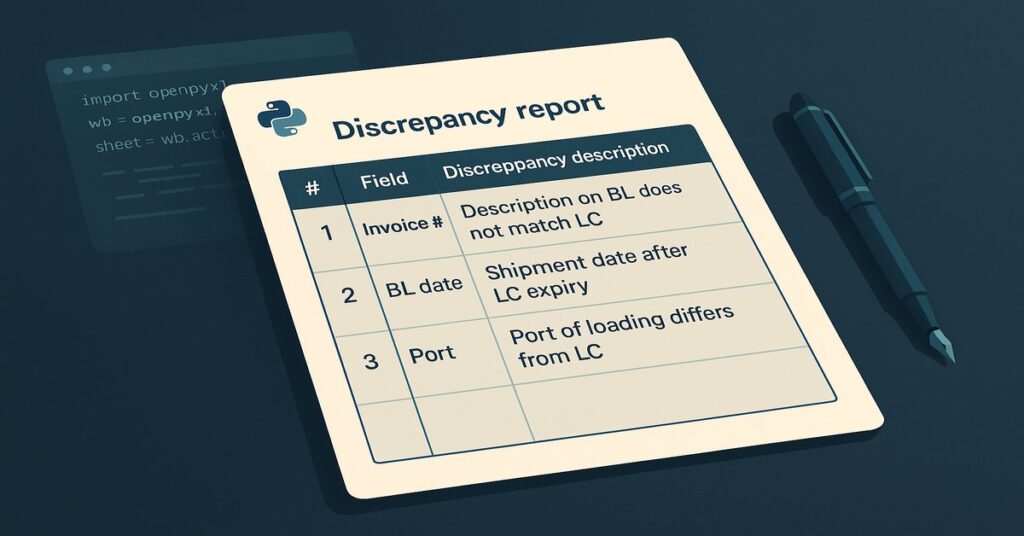
Ugly. Imperfect. Saves twenty minutes every time.
The thing nobody tells you is that the first useful script is rarely impressive. It does not look like software. It does not have a user interface. It will not impress anyone who is not doing the work. It is just a small loop that does a small thing faster, and that is the entire point.
If you work in banking, start here
This is the part of the python for banking professionals journey that actually matters more than any course. If you are from banking, operations, trade finance, or UAT, do not start with the goal of “mastering Python.” Start with one repetitive task from your own desk. The first list I would try, in this order: create an Excel file automatically from a list of inputs; rename a batch of files in a folder; prepare an Outlook draft with a formatted body; extract text from a PDF; capture screenshots during UAT and save them with a naming convention; build a quick evidence-pack folder structure for an audit.
Pick one. Build it. Run it on real work. That is the moment the language becomes real.
If you are the kind of person who reads a post like this and is already wondering how to make the rest of your learning stick — not just the Python parts, but the books, the podcasts, the YouTube rabbit holes — I wrote a short guide on turning book knowledge into action that walks through the exact system I use to capture notes, review them, and actually apply the lessons. It pairs naturally with the practical approach in this post.
What thirteen years actually gave me
Learning Python did not make my past experience irrelevant. It made that experience more useful. I am still a banking professional. I just happen to write code when the work calls for it.
Domain experts often underestimate themselves when they look at technology. But the process knowledge, the exception knowledge, the controls knowledge, the documentation knowledge, the pain-point knowledge; that is genuinely hard to acquire from a course. You have it. The language is the smaller half of the problem.
For me, Python was not about leaving banking behind. It was about bringing technology into the work I already understood. That is why I think more python for banking professionals should learn to code, not to become someone else, but to be better at what they already do.
If you have been sitting on the fence, the answer to “is it too late to learn programming in banking” is the one I wish someone had given me at thirty-two: no, it is not too late, and the only version of you who should worry about that is the one who never starts.
Resources I actually used (all free)
-
If you just want to dive in, start with these:
-
Automate the Boring Stuff with Python – Practical, project-based book for everyday automation tasks. Free to read online: automatetheboringstuff.com.
-
Official Python Tutorial – Accurate, no‑nonsense reference from the core Python docs: docs.python.org/3/tutorial.
-
Google’s Python Class – Free class with videos, notes, and exercises for learners with a bit of programming background: developers.google.com/edu/python.
-
LearnPython.org – Interactive, in‑browser Python exercises for quick practice: learnpython.org.
-
Cisco / Python Institute (NetAcad) – Structured free courses and learning paths: netacad.com/learning-collections/python.
-
Stack Overflow – Search your exact error message to see real‑world solutions from other developers: stackoverflow.com.
-